We have shipped RexIDE v2026.01.20, a release focused on making your workspace feel like a permanent command deck. This update introduces Workspaces and foundational UI improvements to keep you in the flow.
Key highlights:
- Workspaces: Dedicated environments to manage your projects and context.
- Global & Split Terminals: Enhanced terminal management with global access and split-pane support.
- Agent Attribution: Real-time indicators showing exactly which agent is providing hints and suggestions.
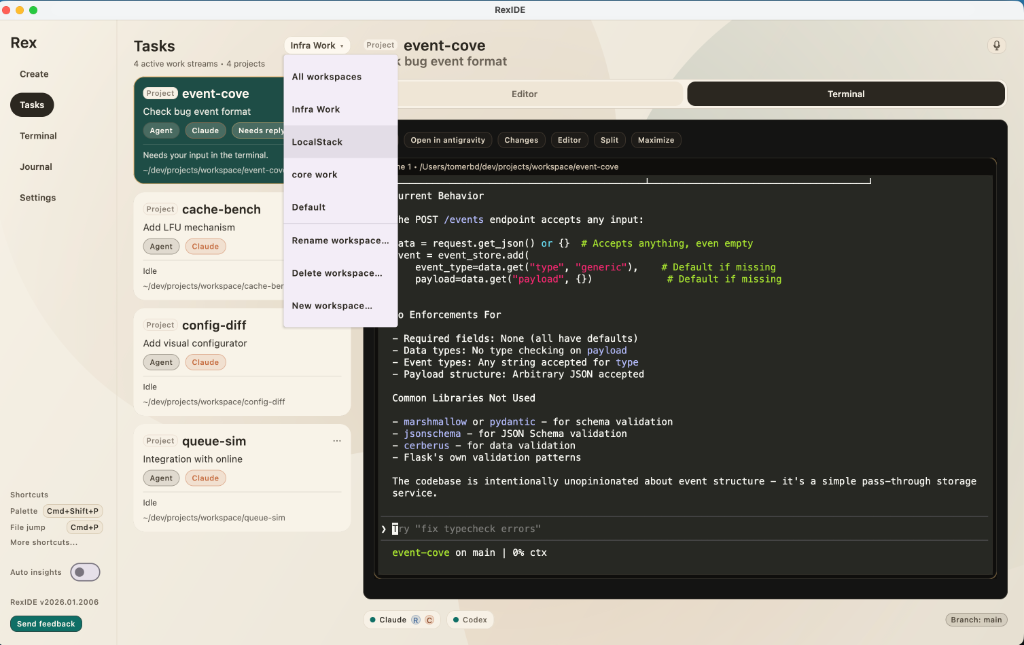
1. Managed Workspaces
The core of this release is the introduction of Workspaces. You can now organize your repositories and tasks into logical containers, isolating project-specific terminals and agent contexts. This provides a cleaner “Command Deck” for developers running complex, multi-repo migrations or experiments.
2. Tabbed Terminal & AI Tool Indicators
We’ve refined the terminal experience to provide better oversight of what’s happening in the background.
- Tabbed Layout: A more stable, tabbed surface at the bottom of the interface for project terminals and dedicated scratch sessions.
- Smart Tool Detection: The terminal rail now explicitly labels the active tool driving your session. You’ll see indicators like “Using Claude Code for review” or “Codex detected” so you always know exactly who is executing.
- Agent Roles: A revised
AgentRolesystem replaces magic strings with robust, color-coded status pills for agents that are “Thinking,” “Executing,” or “Reviewing.”
3. The “Review & Ship” Loop
Reviewing agent code shouldn’t be a bottleneck. This version brings several improvements to the feedback loop:
- Hunk-Level AI Insights: The Changes Panel now supports collapsible AI-powered explanations for individual code hunks, allowing for rapid verification of agent-generated changes.
- AI Commit Messages: Descriptive commit messages are now suggested automatically based on a deep analysis of your current diffs.
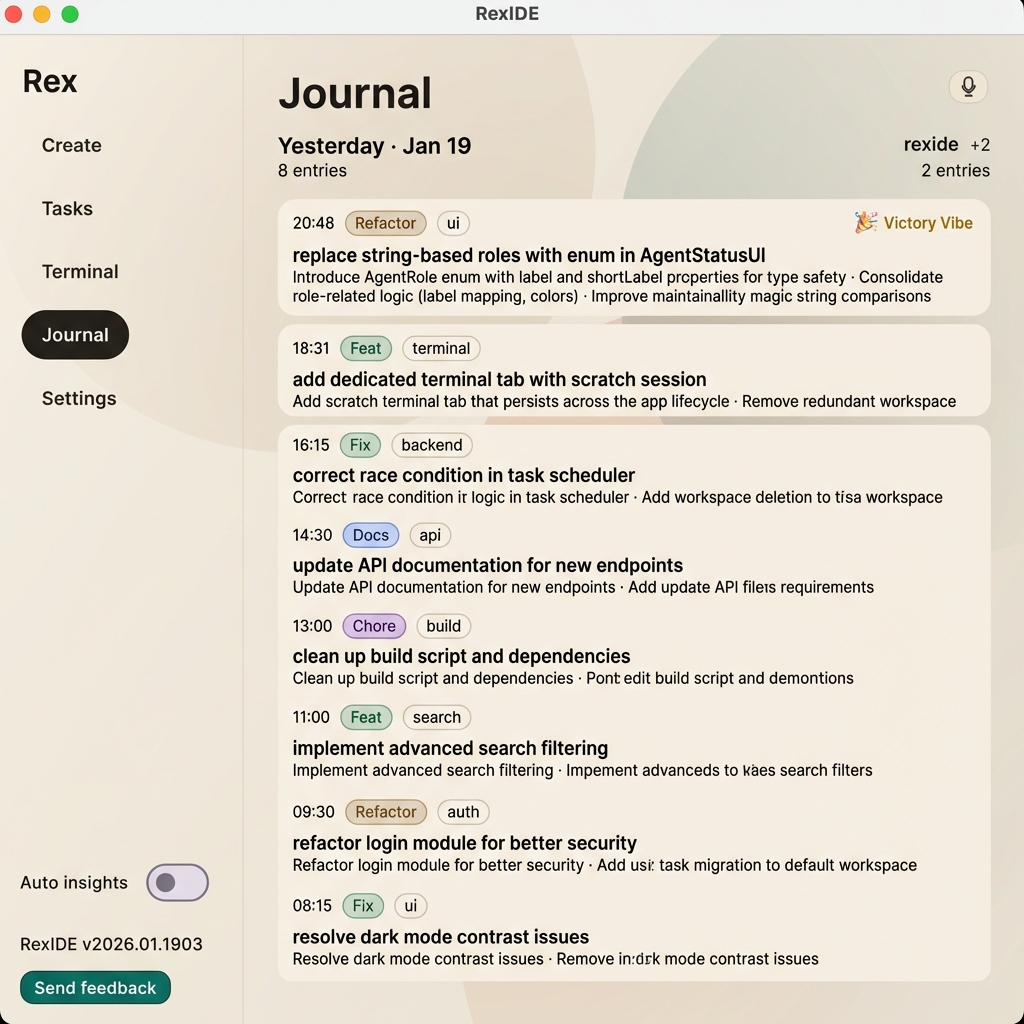
- Victory Vibe: Closing a task now triggers a summarized “Victory” record in your Journal, keeping your searchable history clean and professional.
4. Ask Git: Conversational History
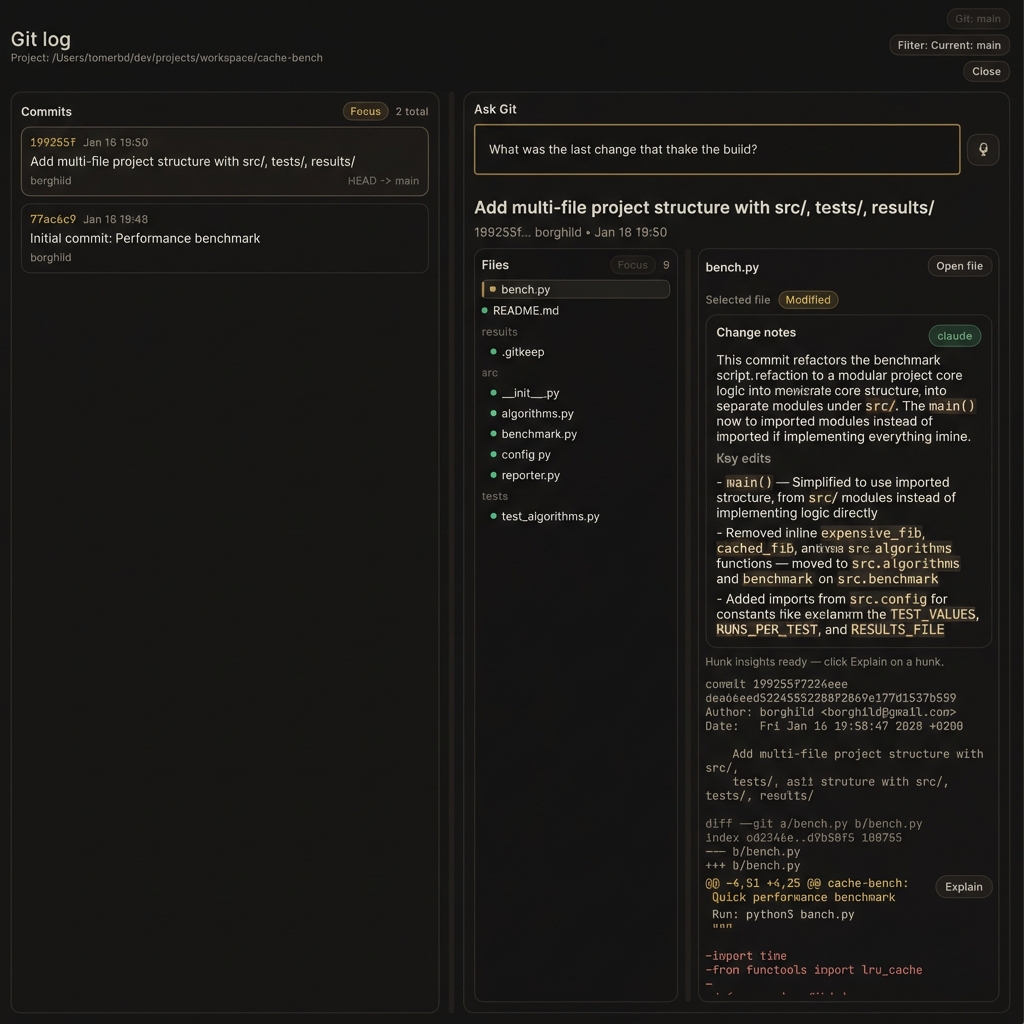
Find why a bug happened by asking, not grepping. RexIDE provides a conversational AI layer over your git history, allowing you to query changes in natural language.
5. Local Intelligence & Privacy
We continue to prioritize local compute and user privacy with local Whisper integration and micro-model support for session naming. No audio ever leaves your machine.
We Want Your Feedback!
We are constantly shipping improvements based on how we use RexIDE daily. If you have any feedback on the new Workspaces or indicators, we’d love to hear from you.
- How are the new Workspaces feeling for your set of repos?
- Are the bottom tool indicators providing enough clarity in your flow?
- What should we focus on next?
Drop your feedback directly to me—I read every message and use it to steer our daily shipping cycle.
Happy shipping, — Tom